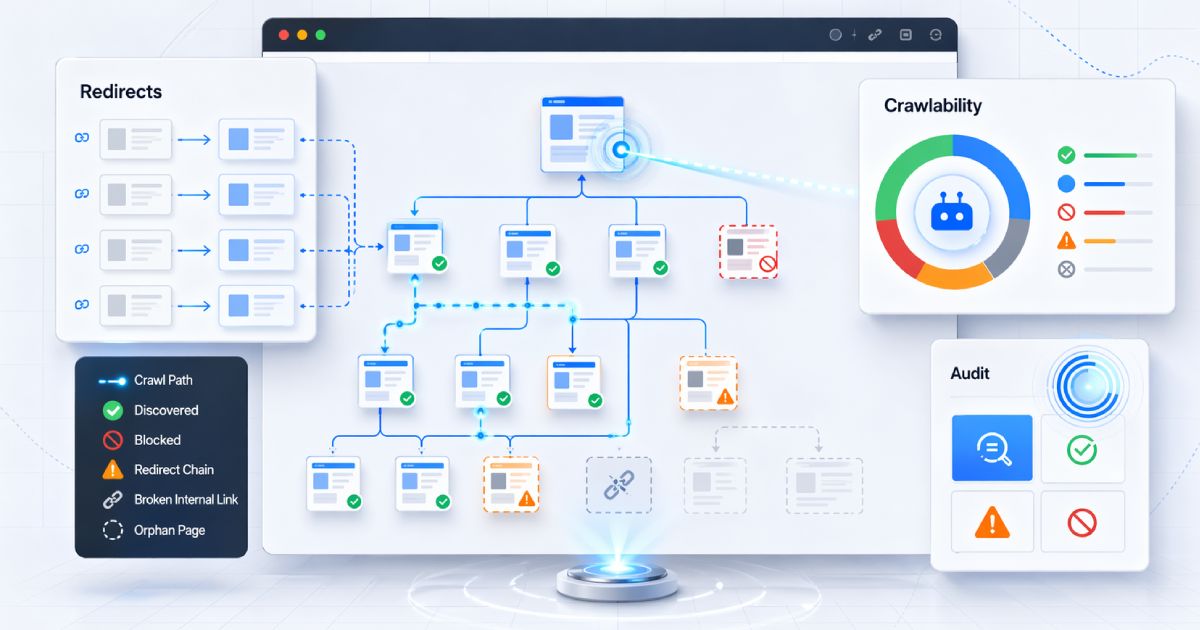

A page is reachable at https://example.com/pricing, https://example.com/pricing/, https://www.example.com/pricing, and https://example.com/pricing?ref=nav. All four render the same content. The site “works.”
But search engines see four separate URLs. Without clear canonicalisation, each one competes for indexing, link signals fragment across the variants, and the site slowly loses consolidation power on the pages that matter most. The bug is not broken HTML. It is ambiguous URL identity — and it happens quietly, without errors in the console or red flags in the build.
This guide covers the specific canonicalisation mistakes that show up repeatedly in CMS-driven and Next.js sites, why they happen, what they cost, and how to fix them by aligning every signal around a single preferred URL.
TL;DR
- Canonicalisation tells search engines which URL among duplicates or near-duplicates should be the preferred version.
- The most common failures: relative canonicals, stale template defaults, redirect/canonical conflicts, query-parameter bloat, and inconsistent slash/domain rules.
- In Next.js,
metadataBaseandalternates.canonicalare the clean built-in path — but misconfiguringmetadataBasebreaks every canonical on the site. - In CMS setups, the biggest risks come from plugins, query parameters, archive templates, and inherited defaults nobody audits.
- The safest implementation is one clear preferred URL reinforced across canonical tags, redirects, internal links, and sitemaps.
Before chasing individual tag issues, check what your pages are actually declaring. A quick single-page pass with the CodeAva Website Audit surfaces missing or malformed canonical tags alongside the rest of the on-page metadata, crawl signals, and HTTP status in one view — a fast way to confirm whether the basics are in place before you dig into cross-signal alignment.
What canonicalisation actually does
A canonical tag is a consolidation hint. It says: “of all the URLs that serve this content, treat this one as the preferred version for indexing.” Search engines use it to merge ranking signals from duplicates into one URL instead of splitting them.
The critical word is hint. Google treats canonical tags as a strong signal but not a command. It also considers:
- Redirects. A 301 or 308 to URL B is a strong signal that B is the preferred destination.
- Sitemaps. Including a URL in the sitemap signals it is the preferred indexable version.
- Internal links. The URL pattern used most often in internal linking carries weight.
- Content similarity. If two URLs have substantially different content, Google may ignore a canonical between them.
The practical goal is not “add a canonical tag.” It is: make every major signal point to the same URL.When signals conflict — a redirect says one thing, the canonical says another, the sitemap says a third — Google makes its own choice, and that choice may not be yours.
Mistake 1: relative canonical URLs
Google technically supports relative canonical URLs, but it explicitly recommends absolute URLs. The practical risk of relative canonicals is real and cumulative:
- CMS preview modes and staging environments often resolve relative canonicals against the wrong host.
- Sites behind reverse proxies or CDN layers may resolve relative paths against an origin hostname the outside world never sees.
- A typo in a
<base>tag changes what every relative canonical on the site resolves to.
Bad: relative canonical
<!-- Ambiguous: depends on the current host, base tag, and proxy layer -->
<link rel="canonical" href="/blog/my-post" />
Better: absolute canonical
<!-- Unambiguous: always resolves to the same URL regardless of host -->
<link rel="canonical" href="https://www.example.com/blog/my-post" />
In Next.js App Router, this is solved at the framework level by setting metadataBasecorrectly (covered in detail in Mistake 6 below). In a CMS, most SEO plugins expose a “site URL” or “canonical base” setting — confirm it uses the production domain with the correct protocol and subdomain.
Mistake 2: stale template and plugin canonicals
CMS-driven sites are especially prone to this. An SEO plugin or theme template sets the canonical at install time, and then the site evolves:
- The domain changes from
http://tohttps://but the canonical base URL in the plugin config still sayshttp://. - The site moves from
example.comtowww.example.combut the template hardcodes the non-www variant. - A staging domain (
staging.example.comorexample.vercel.app) leaks into production canonicals because the environment variable or CMS setting was not updated after launch. - Archive and taxonomy templates self-canonicalise every paginated page to page 1, silently hiding pages 2+ from indexing.
The fix is to audit the actual rendered output, not the plugin settings screen. Fetch the live page HTML with curl or an automated tool and confirm the canonical tag matches the production URL you want indexed. Do this for representative pages from every template type the CMS uses: blog posts, categories, landing pages, pagination, and any custom post types.
Mistake 3: query-parameter canonicals (or lack of them)
Every URL parameter generates a potentially distinct URL as far as search engines are concerned:
/products/widget                     ← preferred
/products/widget?utm_source=email    ← tracking variant
/products/widget?ref=sidebar         ← internal attribution
/products/widget?sort=price          ← UI state
/products/widget?fbclid=abc123       ← platform injection
If the canonical tag on each of those parameterised URLs includes the query string (or is missing entirely), the site produces a growing pool of near-duplicate URLs, each with its own thin set of ranking signals.
The rule: strip non-content-altering parameters from the canonical. Every variant should canonicalise back to the clean base URL. If parameters genuinely change the content (a different language, a different product), those are different pages and each should self-canonicalise.
CMS plugins sometimes handle this automatically for known tracking parameters (utm_*, fbclid). Custom parameters, session IDs, and sort/filter states almost always need manual configuration.
Mistake 4: redirect and canonical conflicts
This is one of the most damaging and least visible canonicalisation mistakes. It happens when the redirect target and the canonical tag disagree about which URL is preferred:
# Scenario: redirect says B is the destination
301 Redirect:  /old-page  →  /new-page

# But the target page's canonical points back to the old URL
<link rel="canonical" href="https://www.example.com/old-page" />

# Result: search engines receive contradictory signals.
# The redirect says /new-page is preferred.
# The canonical says /old-page is preferred.
# Google will choose one — and it may not be yours.
The fix is straightforward: the redirect target’s canonical must point to itself (the destination URL), not back to the source. After a migration, audit every landing page to confirm its canonical matches the URL the user actually arrives at.
A related variant: canonical chains. Page A canonicals to page B, and page B canonicals to page C. Google follows one hop; multi-hop chains increase the chance it gives up and picks its own canonical. Keep it flat: every page should either self-canonicalise or point directly to the final preferred URL.
For the broader redirect-audit workflow after a site migration — including redirect chains, soft 404s, and discovery signals — see How to Audit Crawlability After a Site Migration.
Mistake 5: inconsistent trailing slash, www, and protocol rules
Search engines treat these as different URLs:
https://example.com/pricingvshttps://example.com/pricing/https://example.com/pricingvshttps://www.example.com/pricinghttp://example.com/pricingvshttps://example.com/pricing
If the site does not enforce one canonical form through both redirects and canonical tags, the non-preferred variants accumulate in the index as separate URLs. The fix has two parts:
- Redirect all non-preferred variants to the preferred form (for example, redirect non-www to www, HTTP to HTTPS, trailing-slash to no-trailing-slash or vice versa).
- Canonical every page to the preferred form, matching the redirect target exactly.
In Next.js, the trailingSlash config option controls whether the framework generates paths with or without a trailing slash. Whichever you pick, make sure metadataBase and your hosting redirects agree.
Mistake 6: metadataBase and alternates.canonical in Next.js
Next.js App Router provides a clean, framework-native path to canonicalisation through two settings:
// app/layout.tsx — root layout
export const metadata = {
  metadataBase: new URL("https://www.example.com"),
};

// app/blog/[slug]/page.tsx — per-page canonical
export async function generateMetadata({ params }) {
  return {
    alternates: {
      canonical: `/blog/${params.slug}`,
    },
  };
}
Next.js resolves the relative canonical path against metadataBase to produce the final absolute URL in the rendered <link rel="canonical">. This is architecturally sound — but only if metadataBase is correct.
Common failures:
metadataBaseis missing entirely. Next.js falls back tolocalhost:3000or the deployment URL, which means every canonical points at the wrong host. Build-time warnings are easy to overlook.metadataBaseuses the deployment URL instead of the production domain. Vercel preview URLs, Netlify branch URLs, and CI staging domains leak into canonicals ifmetadataBasereadsprocess.env.VERCEL_URLwithout a production override.metadataBasedisagrees with the trailing-slash or www rule. IfmetadataBaseishttps://example.combut the hosting layer redirects everything tohttps://www.example.com, every canonical conflicts with every redirect.- A page sets
alternates.canonicalas an absolute URL that does not matchmetadataBase. Mixing absolute and relative canonicals across pages defeats the single-source-of-truth architecture.
The fix: set metadataBase once in the root layout, source the value from an environment variable with a production default, and use relative paths in every page-level alternates.canonical. For the broader Next.js canonical and metadata architecture, including render-order considerations in headless stacks, see Canonical Tags for JavaScript & Headless Websites.
Mistake 7: canonical pointing at a non-indexable URL
A canonical tag is a signal to consolidate indexing toward the target URL. If the target URL is itself non-indexable, the signal cannot be fulfilled:
- The canonical target returns 4xx or 5xx.
- The canonical target has a
noindexdirective. - The canonical target is blocked by
robots.txt. - The canonical target redirects elsewhere (a canonical chain).
- The canonical target has a different canonical pointing at yet another URL.
In each case, Google will typically ignore the canonical hint and choose its own preferred URL. The rule: a canonical must point to a URL that is indexable, returns 200, self-canonicalises, and is included in the sitemap.
CMS vs Next.js: where each stack typically fails
The failure modes overlap but the root causes differ. CMS issues tend to be configuration-level; Next.js issues tend to be architecture-level.
| Issue | CMS (WordPress, Shopify, etc.) | Next.js / headless |
|---|---|---|
| Relative canonicals | Rare in mature plugins (Yoast, Rank Math emit absolute), but custom themes may output relative. | Automatic if metadataBase is set; broken if it is missing or wrong. |
| Staging / preview leaks | Site URL set to staging in plugin config; preview pages indexed before launch. | metadataBase reads VERCEL_URL or a branch preview URL without a production override. |
| Query-parameter bloat | Tracking parameters, session IDs, faceted nav — often unhandled by default. | searchParams in App Router generate unique URLs unless canonicals explicitly strip them. |
| Redirect / canonical conflict | Migration redirects point to new URLs; canonical tags on the new URLs still reference old URLs via stale template logic. | next.config redirects and middleware rewrites can conflict with alternates.canonical if both are maintained independently. |
| Trailing slash / www consistency | Often handled at the hosting/CDN layer; CMS plugin and hosting config may disagree. | trailingSlash in next.config must match hosting-layer redirects and metadataBase. |
| Pagination canonicals | Archive templates may self-canonicalise every paginated page to page 1, hiding pages 2+. | Dynamic routes with pagination params need explicit canonical logic per page number. |
Signal alignment: the canonical is not enough on its own
The canonical tag is one of several signals search engines use to determine the preferred URL. The strongest canonicalisation strategy makes all of them agree:
- Canonical tag— points to the preferred URL on every variant of the page.
- 301 / 308 redirects— send all non-preferred variants to the preferred URL.
- Sitemap— lists only the preferred (canonical) version of each URL. For the full sitemap-hygiene workflow, see XML Sitemap Best Practices for Modern Websites.
- Internal links— consistently link to the preferred URL form (right protocol, right subdomain, right trailing-slash convention).
- Hreflang(for international sites) — each hreflang annotation references the canonical URL of the corresponding language/region version.
When all five signals agree, the canonical is almost always honoured. When they conflict, Google picks the winner — and it may not be the URL you intended.
The most dangerous canonical mistake
The canonicalisation audit checklist
Work through these checks for every template type (homepage, blog post, product page, category, pagination, landing page, custom post types):
- Confirm every indexable page has a canonical tag. Pages without one leave the decision entirely to Google.
- Confirm every canonical is absolute. Full URL including protocol and domain.
- Confirm self-canonicalising pages point to themselves. The canonical URL must match the URL the user is on, including trailing-slash and www rules.
- Confirm parameterised URLs canonicalise to the clean base. Add
?utm_source=testto any page and confirm the canonical does not include the parameter. - Confirm redirect targets have correct canonicals. The destination page’s canonical must point to itself, not back to the redirected URL.
- Confirm canonical targets are indexable. Return 200, no
noindex, not blocked by robots.txt. - Confirm sitemap URLs match canonical URLs. Every URL in the sitemap should also be the canonical of that page.
- Confirm internal links use the canonical form. No mixed www / non-www, no mixed trailing-slash / no-trailing-slash.
- Spot-check with a server-side fetch.
curl -sL "URL" | grep canonicalconfirms what crawlers actually see, not what the browser-rendered DOM shows. - Review Google Search Console ’s “Duplicate without user-selected canonical” report. This shows pages where Google chose a different canonical than the one you declared.
Automate the spot-check
The mistakes at a glance
| Mistake | What goes wrong | Fix |
|---|---|---|
| Relative canonical | Resolves against wrong host in staging, preview, or proxy setups. | Always use absolute URLs; set metadataBase in Next.js. |
| Stale template / plugin default | Canonicals point to old domain, HTTP, or staging URL. | Audit rendered HTML, not plugin config. Fetch the live page. |
| Query-parameter variants | Tracking / session / filter parameters generate near-duplicate URLs. | Strip non-content parameters from canonicals. |
| Redirect / canonical conflict | Redirect says B; canonical on B points back to A. | Redirect target’s canonical must point to itself. |
| Trailing slash / www / protocol drift | Multiple URL variants indexed separately. | Pick one form; enforce via redirects and canonicals. |
Wrong metadataBase in Next.js | Every canonical on the site resolves to the wrong host. | Set metadataBase once in root layout; use env var with production default. |
| Canonical to non-indexable URL | Target is 4xx, noindex, or blocked by robots.txt. | Canonical targets must be 200, indexable, and self-canonicalising. |
Canonicalisation is signal alignment, not tag placement
The canonical tag is a single instrument in a multi-signal system. Adding it is necessary but not sufficient. The sites that maintain clean indexing are the ones that align canonicals, redirects, sitemaps, and internal links around a single preferred URL per page — and audit that alignment every time the site migrates, the domain changes, or the CMS or framework version updates.
Canonicalisation mistakes do not break the page. They break consolidation — quietly, cumulatively, and almost always without an error message. The fix is systematic: pick one canonical form, enforce it at every layer, and verify the rendered output regularly.
When you are ready to spot-check a specific page, the CodeAva Website Audit checks canonical tag presence alongside HTTP status, on-page metadata, social tags, crawl signals, and security headers in one pass. For the full architectural guide on getting canonicals right in JavaScript and headless stacks, see Canonical Tags for JavaScript & Headless Websites, and for the sitemap-side of signal alignment, see XML Sitemap Best Practices for Modern Websites.