
Picture a small engineering team setting up a new CMS or routing layer. One developer writes slugs as my-blog-post. Another writes my_blog_post. A third copies the full page title verbatim. No one corrects anyone because the choice feels cosmetic at the time.
Six months later, the site has three slug conventions running in parallel. Changing any of them now means writing 301 redirects at scale, cleaning up internal links, updating canonical tags, patching the sitemap, and reconciling analytics history. A decision that cost nothing upfront is now a sprint-sized project.
This is the actual problem with the hyphens-vs-underscores debate. The separator itself rarely determines whether a page ranks. The inconsistency, the late migration, and the slug generation pipeline that was never standardized — those are where the cost lands.
TL;DR
- Google recommends hyphens as the word separator in URL paths.
- Hyphens are the safer, more standard choice for readable, web-facing slugs.
- A single underscore URL is unlikely to be a catastrophic ranking issue on its own.
- The bigger risks are inconsistency across a site, messy slug generation, and expensive migrations later.
- The best long-term approach is a consistent, lowercase, descriptive, hyphen-based slug standard applied before scale makes it painful to change.
Before getting into the technical detail: if your team is actively setting up or auditing a slug pipeline right now, the CodeAva Slug Generator & URL Sanitizer generates clean, hyphen-separated, lowercase slugs from raw titles — with accent normalization, emoji stripping, optional stop-word removal, configurable max length, and bulk conversion for entire spreadsheet columns. All processing runs locally in your browser. Use it to standardize before bad patterns spread across the site.
The official answer: what Google actually recommends
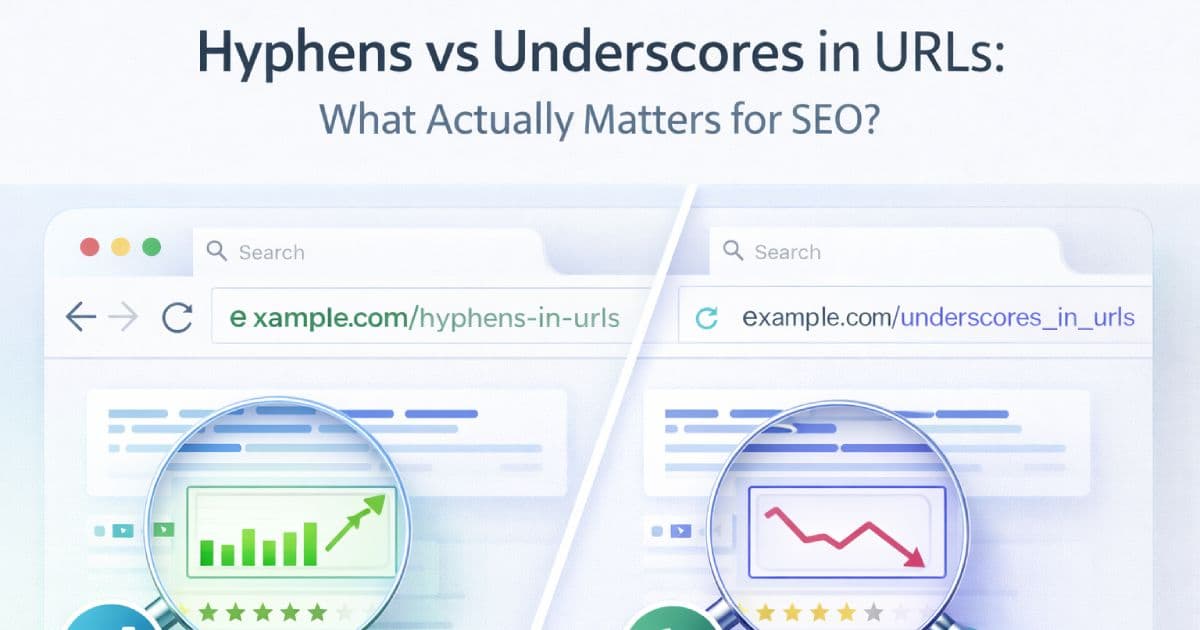
Google has stated clearly in its general URL structure guidance that it recommends using hyphens to separate words in URLs. The explanation is practical: hyphens help both users and search engines identify individual concepts in a URL path. A slug like /technical-seo-guide makes three words immediately visible. /technical_seo_guide looks like a single joined token to parsing systems that do not explicitly handle underscores as word boundaries.
Underscores have historically been associated with joining terms together rather than separating them — a convention that comes from programming and filename formatting, not web URL design. For user-facing URL paths, the hyphen convention is the better fit because it aligns with how most people naturally read and type multi-word phrases.
This is a practical recommendation, not a mysterious ranking signal. Google does not refuse to index underscore URLs. Pages with underscores can and do rank. The recommendation is about readability, clarity, and consistency with the wider convention — not about hyphens being a ranking magic switch.
What hyphens help with in the real world
The case for hyphens is mostly operational. Teams that standardize on them early encounter fewer problems in the following contexts:
Readability in shared links and logs
A URL pasted into a Slack message, a spreadsheet, a PR description, or a server log is much easier to scan when words are separated. /build-better-blog reads like a phrase at a glance. /build_better_blog requires slightly more cognitive effort. Multiply this by hundreds of URLs and dozens of people reading them daily, and the difference compounds.
CMS and framework default behavior
Most CMS platforms, static site generators, and routing frameworks default to hyphen-separated slugs. When you deviate, you introduce friction: custom sanitization functions, potential mismatches with automatically generated slugs, and the possibility of mixed conventions appearing when different content authors or systems contribute URLs.
Fewer inter-team arguments
Hyphens are the dominant convention in web URLs. Pointing to a widely accepted standard ends debates quickly. Introducing underscores requires defending an exception, which tends to resurface every time someone new joins the team.
What matters more than the separator itself
Choosing hyphens is the right call. But several URL factors typically have more direct impact on crawlability, indexing, and maintainability than the separator alone.
URL stability
Changing a URL after a page is published forces a redirect, introduces link equity risk, requires canonical cleanup, and fragments analytics history. A slug with an underscore that has been stable for two years is often preferable to migrating it to hyphens and running 301s for the next twelve months. Standardize early, then keep slugs stable.
Lowercase consistency
On Linux-based servers (which covers most web hosting), /My-Page and /my-pageare different URLs. If both respond with 200 status, you have unintentional duplicate content. Normalizing slugs to lowercase is not optional — it prevents an entire category of duplication issues that are invisible until they show up in a crawl report.
Descriptive paths
A URL like /p?id=4829 tells no one anything. A URL like /blog/javascript-async-patterns tells users, search engines, and teammates exactly what to expect. Descriptive slugs help crawlers understand page context and help users make better click decisions in search results.
Clean architecture
Deeply nested paths, redundant category layers, and parameter-heavy URLs create crawl complexity without adding user value. A flat or shallow URL structure — where it is reasonable for the content type — tends to be easier to maintain and crawl efficiently.
Not changing conventions after launch
The separator debate matters most when it triggers a migration. Decide the standard before publishing at scale. A slug convention chosen on day one costs almost nothing to enforce. Changing it on day three hundred costs a sprint.
Right vs wrong: concrete URL examples
Here are realistic before-and-after examples across article, product, and tool pages.
Example 1 — Blog post slug
The first version has mixed case (creates duplicate risk), uses underscores, and contains a special character that requires encoding. The second is lowercase, hyphen-separated, and clean.
Example 2 — Product or category page
The first version has deep nesting, underscores, and a word like final that is an implementation detail rather than a content descriptor. The second is shallow, descriptive, and clean.
Example 3 — Long, stuffed title slug
The first version is correctly hyphen-separated and lowercase, but it is 65 characters long and includes filler like how-to, for-your-company, andin-2026-and-beyond that add no useful signal. The second is compact, specific, and durable across years.
Edge cases: non-ASCII characters, regional URLs, and encoded paths
Not all content is in English, and that is entirely valid. Google supports Unicode in URLs and recommends using descriptive URLs in the language your audience speaks. A Japanese, French, or Arabic URL in the appropriate script is a legitimate slug format for content targeting those audiences.
The practical concern is sanitization consistency. When browsers and servers display Unicode slugs, percent-encoding is often applied transparently. The risk arises when different parts of your stack — the CMS, the routing layer, the sitemap generator, the canonical injection logic — apply different encoding rules or normalization steps to the same URL. The result is multiple representations of the same path coexisting as different URLs.
The goal is a predictable, uniform pipeline: every system that touches a URL should apply the same normalization (NFD diacritic stripping, encoding, case folding) in the same order. If you are building multilingual slug support, test with actual accented and non-Latin inputs before launching at scale, and verify that generated slugs survive a round-trip through your entire stack without mutation.
Common mistakes that create URL debt
Most URL problems are not caused by picking the wrong separator. They accumulate from operational habits that are hard to reverse at scale.
- Mixing hyphens and underscores across the same site. Once both exist in production, every audit, redirect, and link check has to handle two patterns. Tools, teammates, and external links all bifurcate around the inconsistency.
- Allowing uppercase and lowercase variants of the same slug to coexist. On case-sensitive servers this creates duplicate content. Even on case-insensitive servers it introduces ambiguity in logs, canonical declarations, and internal links.
- Stuffing the full article title into the slug. Titles include filler words, dates, and branding that belong in the H1 but add noise to the URL. Slugs should convey the core concept in the fewest clear words.
- Changing slug formats after launch without a migration plan. Even a well-executed separator change requires 301s, canonical updates, sitemap refreshes, internal link repairs, and patience while link equity transfers. Doing this for cosmetic reasons on established pages is rarely worth the risk.
- Including unnecessary words, years, or implementation details. Words like
final,v2,new, or a hard-coded year in a slug become misleading quickly and complicate redirects when content is refreshed. - Letting multiple systems generate slugs with different rules. A CMS that auto-generates slugs one way and a developer that writes routes a different way produces two conventions in parallel. The correct fix is a single, documented slug standard enforced at the generation step.
The better slug standard: a practical playbook
The following checklist represents a defensible, maintainable slug standard for most web projects. Apply it before the first URL goes live.
- Pick hyphens as the default word separator.This aligns with Google's recommendation, the convention used by most frameworks and CMSs, and what most developers expect when reading a URL.
- Convert all slugs to lowercase. No exceptions. Lowercase prevents duplicate content on case-sensitive servers and keeps paths predictable across all systems that reference them.
- Keep slugs descriptive but compact.Use the fewest words that accurately represent the page topic. Removing stop words is one approach for shortening slugs, but check that the result still reads clearly as a phrase — not all stop word removal produces better slugs.
- Strip unsafe or irrelevant punctuation. Exclamation marks, question marks, colons, ampersands, and special characters either require percent-encoding or cause parse errors. Replace them with hyphens or nothing at generation time.
- Standardize transliteration and sanitization rules in one place. Define how accented characters, emoji, symbols, and non-Latin scripts are handled. Apply the same logic across the CMS, the routing layer, the sitemap builder, and any import pipelines.
- Avoid unnecessary nesting when it adds no value. Deep paths add complexity without improving discoverability for most content types. Shallow paths are easier to crawl, share, and maintain.
- Keep the slug stable after publishing. The best time to change a slug is before the page is published. After that, any change requires a redirect strategy, canonical cleanup, and internal link updates.
- Redirect carefully if a change is unavoidable. Use permanent 301 redirects, update canonical tags to the new URL, update all internal links, refresh the sitemap, and monitor for 404s and crawl errors in Search Console following the change.
Tool integration: build consistency into the pipeline
The most common source of slug inconsistency is not ignorance of the standard — it is the absence of a consistent, automated generation step. When team members hand-edit slugs case by case, conventions drift. When multiple systems generate slugs with different rules, mixed formats appear in production. The right fix is to define the standard once and enforce it at the source.
The CodeAva Slug Generator & URL Sanitizer is designed for exactly this workflow. Paste a title or a batch of titles and the tool applies a consistent slug generation pipeline: Unicode NFD diacritic normalization (converting characters like é to e and ü to u), emoji and symbol removal, lowercase conversion, hyphen or underscore separator mode, optional stop-word removal, configurable max length with word-boundary truncation, and bulk line-by-line conversion for processing entire content batches at once.
The audit panel shows how many characters were normalized, how many emojis were removed, how many stop words were stripped, and warns if a slug is empty or over 75 characters. Bulk output can be copied as plain text or CSV, or downloaded as a file, making it straightforward to paste results back into a spreadsheet or CMS import.
All processing runs locally in your browser. No titles or content are uploaded.
Comparison table
| URL pattern | Readability | SEO / crawling note | Operational risk |
|---|---|---|---|
| /my-blog-post | High | Recommended by Google; words clearly separated | Low |
| /my_blog_post | Medium | Historically treated as a single token; not recommended for web URLs | Medium (convention mismatch) |
| /myblogpost | Low | No word separation; harder for both users and parsers to decode | Medium (unreadable) |
| Mixed: /my-post and /other_post | Inconsistent | Two conventions running in parallel | High (audit and migration cost) |
| /My-Blog-Post or /MY-BLOG-POST | Medium | Duplicate content risk on case-sensitive servers | High (duplication risk) |
How to standardize URL slugs before launch
- Audit current slug patterns across the site or app. Identify which separators, cases, and conventions exist. Note which systems are generating slugs and what rules each applies.
- Choose one separator standard. Hyphens is the correct default for web-facing URLs. Document it explicitly so there is no ambiguity when new contributors or systems are added.
- Define lowercase and sanitization rules. Specify how accented characters, symbols, emojis, non-ASCII scripts, and special punctuation are handled. Write these rules in one place and reference them everywhere slugs are generated.
- Apply the same rules across CMS, code, and import pipelines. The most common source of mixed conventions is different generation steps using different rules. Centralize the slug logic or use the same tool for all generation contexts.
- Preview generated slugs in the CodeAva tool. Use the Slug Generator & URL Sanitizer to test sample titles against your chosen settings and catch edge cases before they reach production.
- Catch edge cases like accents, symbols, and duplicate outputs. Run a representative sample of real content titles through the generation pipeline. Look for empty slugs, collision risks where two different titles produce the same slug, and unexpected output from unusual characters.
- Lock the standard before large-scale publishing. The slug standard is much cheaper to enforce before content is published than after. Make it part of the pre-launch checklist, not an afterthought.
- Document redirect rules if legacy URLs already exist. If you are migrating from an existing site with a different convention, define the redirect mapping before launch and test it against a representative set of old URLs.
Migration warning: changing separators later is expensive
The practical argument for standardizing slug conventions early is not primarily about rankings — it is about the cost of changing them later.
If you decide six months after launch that your underscore-separated URLs should be hyphen-separated, you are facing a project with real scope: writing 301 redirects for every affected URL, updating every internal link that references the old path, correcting canonical tags across the site, regenerating and resubmitting the sitemap, updating tracking configurations that reference old URLs, and waiting for crawlers to process the redirects and transfer link signals. External backlinks pointing to old URLs continue to work via redirect but add an extra hop indefinitely.
For large sites, this work can take weeks and carries risk. It is possible to execute cleanly with a disciplined redirect and monitoring plan, but the question is whether the gain justifies the risk for established, ranking pages. In most cases it does not, unless the change is part of a broader restructuring with a clear improvement goal beyond separator preference.
Migration risk
The practical takeaway: spend twenty minutes defining a slug standard before launch. That investment pays back in avoiding a sprint-sized cleanup later.
For context on how URL structure interacts with the broader crawl and discoverability picture, the guide on XML sitemap best practices covers how clean, stable URL sets feed into an effective sitemap strategy.
Conclusion and next steps
The hyphens-vs-underscores question has a clear answer: use hyphens. Google recommends it, most frameworks default to it, and it is the convention developers expect when reading a URL path. Underscores are not catastrophic, but they are the non-standard choice for web-facing slugs, and defending them creates friction with no corresponding benefit.
The more important question is consistency. Mixed slug conventions across a site are harder to audit, harder to migrate, and harder for teams to maintain than any specific separator choice. Stable, lowercase, descriptive, uniformly hyphen-separated slugs reduce future cleanup work across every surface that touches URLs: search console, sitemaps, canonicals, internal links, analytics, and external references.
The time to standardize is before publishing at scale. Define the slug standard, apply it to every system that generates URLs, and run a sample through your generation pipeline before content goes live.
Standardize now, not later
The CodeAva Slug Generator & URL Sanitizer converts titles and raw text into clean, hyphen-separated, lowercase slugs with diacritic normalization, emoji stripping, optional stop-word removal, configurable max length, and bulk conversion for entire content batches. Use it to standardize slug generation before inconsistent patterns spread across the site. All processing runs locally — no content is uploaded.